Make a multiplayer game with AI
Make a multiplayer game in Gessa by describing a shared goal, building the game with AI, and testing it with a friend. Models, textures, audio and game logic belong to the same project, so you can keep shaping the experience as you test it.
Your starting idea
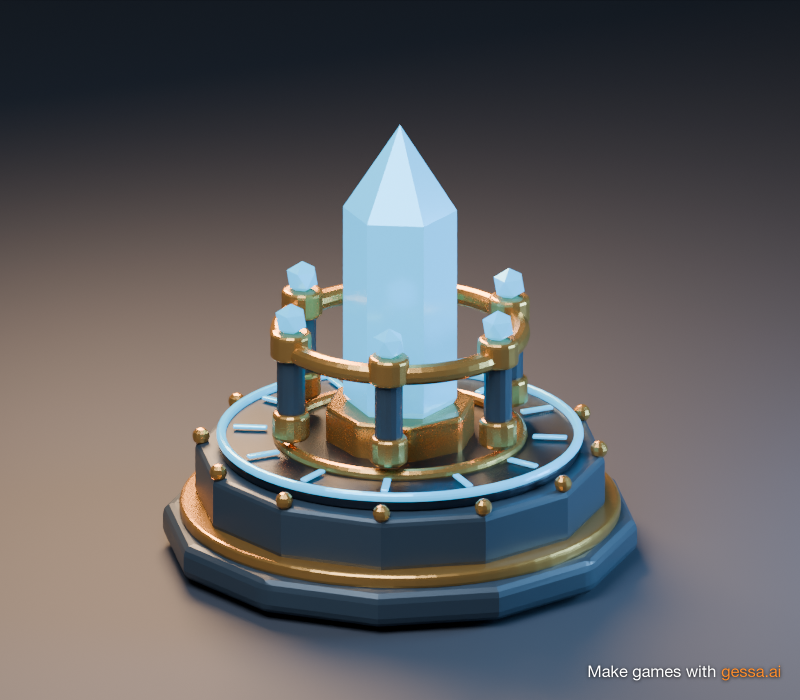
Crystal Relay
A starting idea for a cooperative collecting game. Use this prompt to begin your own project.
Try this prompt
Help me build a cooperative game called Crystal Relay. Players explore a small island, collect crystals and bring them to a shared beacon. Start with movement, one collectible and a shared score. Make the goal clear on screen. Let’s test that loop before adding more scenery and challenges.
Check it together
- Both players can move and see each other.
- Collecting a crystal updates the shared score once.
- The goal and progress are clear to each player.
- A friend can open the published game link and play.
Start with something friends can do together
Give the AI a game idea with a clear shared activity: collect objects, race to a finish line, solve a puzzle or defend a place together. Say what each player controls, what changes for everyone and how a round ends.
For Crystal Relay, start with one crystal and one beacon. A small complete loop makes it easier to judge the movement, rules and shared state before expanding the island.
Build the scene, rules and feedback in one project
Use Gessa’s built-in AI to create and refine the game. Describe one change at a time, then inspect and play the result. Keep working in the engine when you want to adjust the scene or behavior directly.
Give the crystal a visible collection response and make the shared score easy to read. Ask for clear feedback when the beacon receives a crystal, then check that the result matches the rule you intended.
When a player collects a crystal, update the shared score once and show clear feedback. When the team completes the goal, show a completion message to both players.
Give your game its own look and sound
Generate models, textures and audio for the same game creation workflow. Start with a distinctive crystal model, a ground texture and a short collection sound. Keep the style consistent so the important objects are easy to recognize.
For deeper modeling, Gessa also offers Blender in the browser and a Blender MCP connection for AI tools. Use these when the shape and detail of an object need more attention.
Test the shared experience with a friend
Open the game with a second player and work through the checks above. Try collecting the same object, joining at different times and completing the round together. Describe any difference between the intended rule and the observed result when asking the AI for a change.
Check what both players see after an edit. Test the version you intend to share, including its camera, controls, sound and completion state.
Publish, invite and keep improving
Publish the game and open its public link as a player. Send that link to a friend and watch where they get stuck or what they want to do next. Give the game a clear title, an accurate description and a representative image so visitors know what they can play.
Add another challenge once the first loop works. A new route, a second collectible or a different team goal gives you a specific next change to build and test.
Step by step
- 1Describe the shared goal
Explain what players do together, what each controls and how the round ends.
- 2Build the first loop
Use AI and the engine to create movement, one interaction and visible progress.
- 3Add models, textures and audio
Create the pieces your game needs and check them in the scene.
- 4Test with a friend
Check both players’ views, shared progress and the completion state.
- 5Publish and share
Open the published game link and test the experience a new player receives.
Frequently asked questions
- Can I make a multiplayer game with AI in Gessa?
- Yes. Use Gessa’s AI and game engine to build your game, then test the shared experience with friends before publishing it.
- How does AI help me make the game?
- Gessa’s built-in AI helps you create and refine the scene, models, textures, audio and game rules. Describe the game you want to build, inspect the result, and keep shaping it in the engine.
- Is Gessa’s built-in AI free?
- Yes. Gessa’s built-in AI is free and does not require a separate external AI account.
- Can I generate assets for the same game?
- Yes. Gessa brings models, textures and audio into the game creation workflow alongside the engine and multiplayer.
- Can we build the game together as well as play it?
- Yes. Gessa includes live collaboration for working on the same project and multiplayer for playing the game. Invite collaborators to help build, then test the shared game as players before publishing.
- Do I need to write my own multiplayer networking?
- Gessa includes a server-authoritative multiplayer engine. Use the AI and editor to build your game’s shared rules and interactions, then test that players see the intended result together.
- Is Crystal Relay an existing game I can play?
- Crystal Relay is the example prompt in this guide. Use it as a starting idea for a game you create and test.